
If you're searching for LTX 2.3 first and last frame in ComfyUI, you've probably already discovered something frustrating: the official ComfyUI templates for LTX 2.3 don't include a First-Last Frame (FLF2V) workflow. You're not alone — this is one of the most requested features in the ComfyUI community right now, and the gap between what users expect and what's officially available has caused real confusion.
In this guide, we'll give you the honest truth about what's supported, walk you through the community workarounds that actually work, and show you the easiest way to generate LTX 2.3 first-and-last-frame videos — without wrestling with ComfyUI at all.
Skip the complexity? Generate LTX 2.3 first & last frame videos online at LTX23.org → — native FLF support, no GPU required, works in your browser.
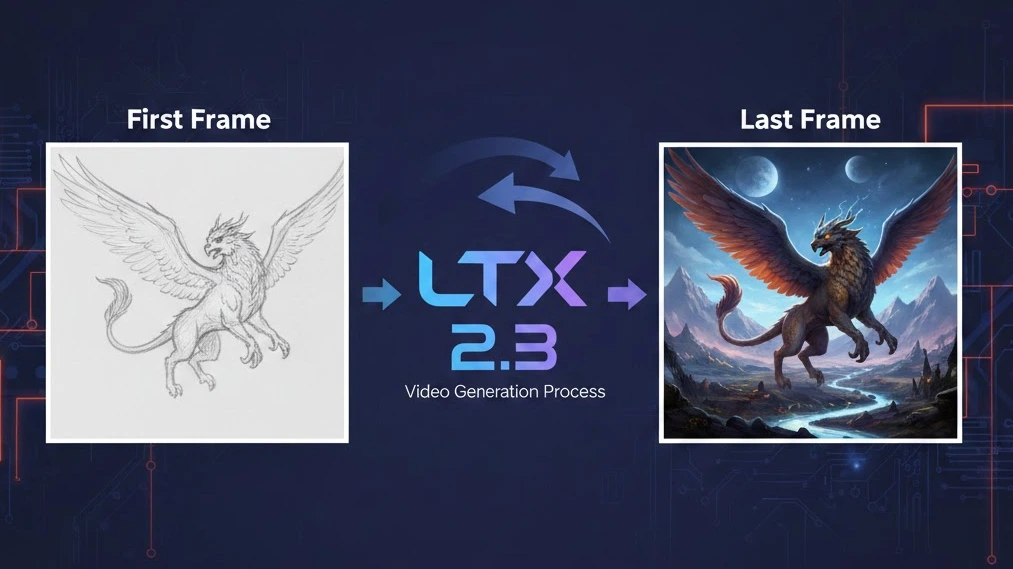
What Is First & Last Frame (FLF2V) Video Generation?
First-Last Frame to Video (FLF2V) is a video generation technique where you provide two images — a first frame (the starting point) and a last frame (the ending point) — and the AI model generates all the intermediate frames to create a smooth, coherent video that transitions from one to the other.
Think of it like asking the AI: "Start here, end there, and figure out everything in between."
Why FLF2V Matters
First and last frame control unlocks creative possibilities that standard text-to-video or image-to-video simply can't match:
- Scene transitions: Smoothly morph between two different scenes or environments
- Camera movement: Define the start and end composition, let the AI generate a natural camera path
- Character animation: Set a character's starting pose and ending pose, generate the action between them
- Morphing effects: Transform one object or person into another with fluid, AI-generated motion
- Storyboard-to-video: Turn a pair of storyboard frames into fully animated clips
- Looping video: Use the same image for first and last frame to create seamless video loops
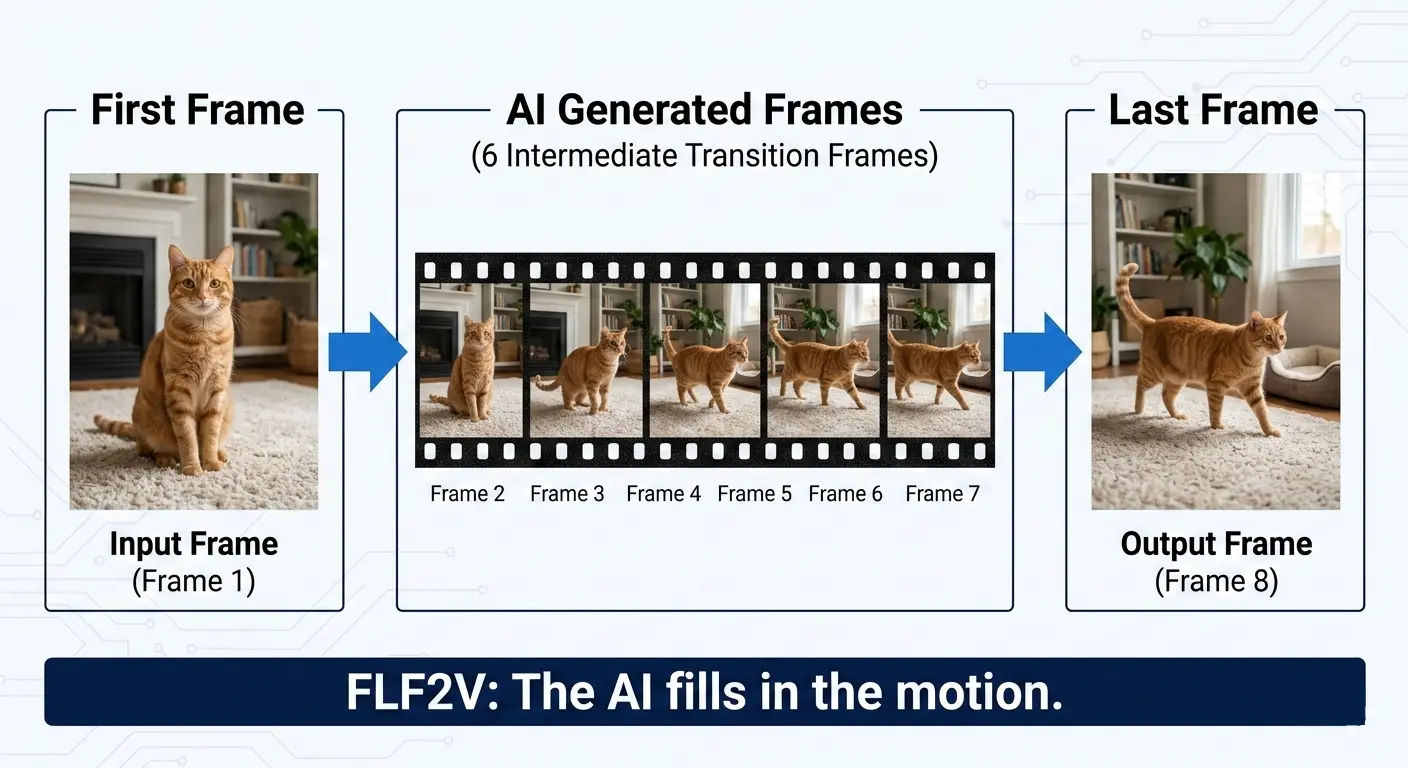
Unlike basic Image-to-Video (I2V), which only takes one starting image and lets the model decide where the motion goes, FLF2V gives you control over the destination. This is crucial for professional workflows where you need predictable, intentional results.
LTX 2.3 Official ComfyUI Support — What's Actually Available
Let's be transparent about the current state of LTX 2.3 support in ComfyUI, because there's a lot of misinformation floating around.
What the Official ComfyUI Templates Offer
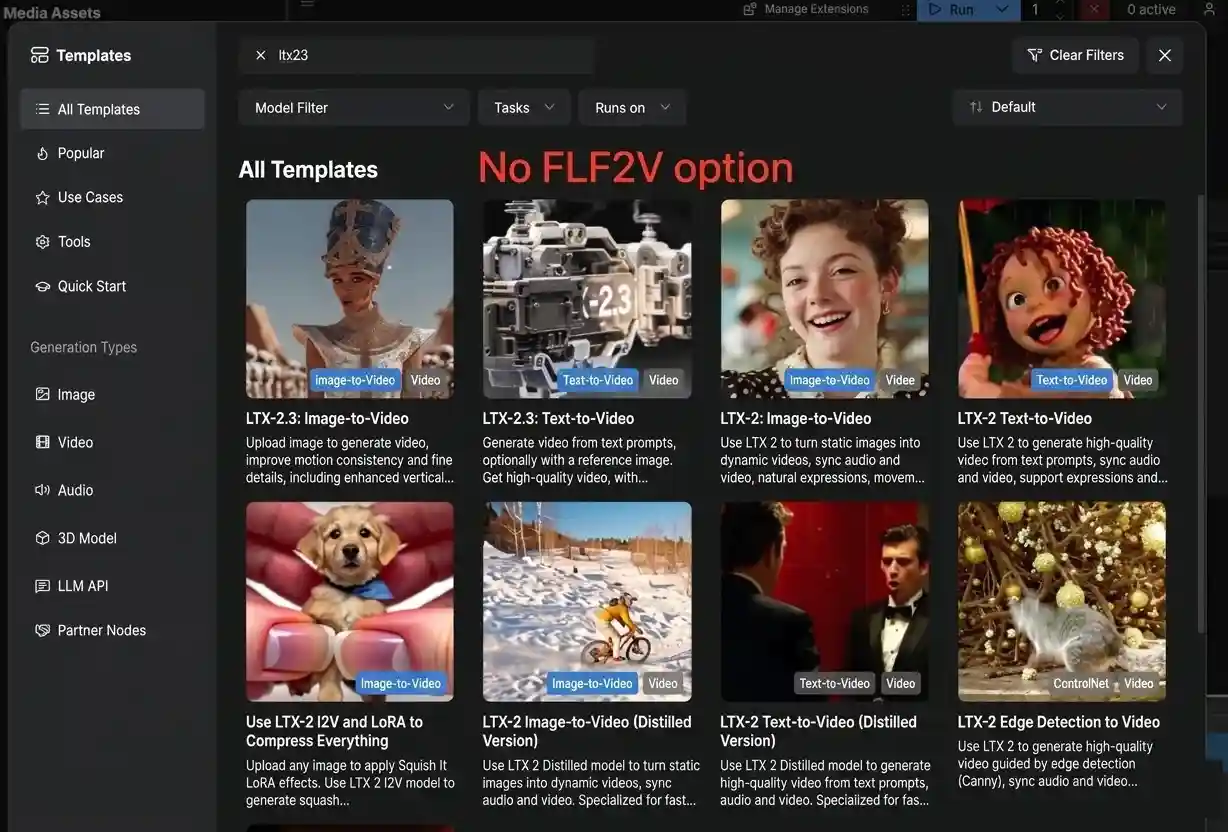
As of March 2026, the official ComfyUI documentation provides exactly two workflow templates for LTX 2.3:
- Image-to-Video (I2V) — Generate video from a single input image
- Text-to-Video (T2V) — Generate video from a text prompt
That's it. No First-Last Frame workflow. No FLF2V template.
What the Lightricks ComfyUI-LTXVideo Repository Offers
The official Lightricks/ComfyUI-LTXVideo GitHub repository — maintained by the LTX team themselves — includes these LTX 2.3 example workflows:
- Text/Image to Video (single-stage, distilled/full model)
- Text/Image to Video (two-stage, with spatial upsampling)
- IC-LoRA with union control (depth + human pose + edges)
- IC-LoRA motion tracking
Again: no dedicated First-Last Frame workflow in the official repository.
Why This Gap Exists
The LTX 2.3 model architecture does support conditioning on multiple frames — it's a DiT (Diffusion Transformer) that can accept frame-level conditioning inputs. The missing piece is that neither Lightricks nor the ComfyUI team has published a ready-to-use FLF2V workflow that packages this capability into an easy template.
This is a well-known pain point. On Reddit's r/comfyui, users have posted threads like "Help needed - looking for working LTX 2.3 First-Last Frame workflows", with responses ranging from "Working on this right now" to "I'll believe it when I see the results in my output folder. In my experience, LTX-2, while very good at a lot of things, is not good at precise key frame coherence."
The good news: community developers have filled the gap. Let's look at how.
How to Set Up First & Last Frame for LTX 2.3 in ComfyUI
If you're determined to run FLF2V locally with ComfyUI, here's everything you need.
Prerequisites & Hardware Requirements
Before starting, make sure you have:
| Requirement | Minimum | Recommended |
|---|---|---|
| GPU | CUDA-compatible, 12 GB VRAM | 24 GB+ VRAM (RTX 4090, A100, etc.) |
| System RAM | 16 GB | 32 GB+ |
| Disk Space | 50 GB free | 100 GB+ (for models and cache) |
| Software | ComfyUI (latest), Python 3.10+ | ComfyUI Desktop or Nightly build |
| OS | Windows 10/11, Linux | Linux (better memory management) |
Low on VRAM? Use the fp8 quantized model (
ltx-2.3-22b-dev-fp8.safetensors) and the distilled LoRA for faster, lighter inference.
Required Models
Download and place these models in their respective ComfyUI directories:
ComfyUI/
├── models/
│   ├── checkpoints/
│   │   ├── ltx-2.3-22b-dev.safetensors          # Full model (BF16)
│   │   └── ltx-2.3-22b-dev-fp8.safetensors      # Quantized (lower VRAM)
│   ├── latent_upscale_models/
│   │   └── ltx-2.3-spatial-upscaler-x2-1.0.safetensors  # Optional: 2× upscale
│   ├── loras/
│   │   └── ltx-2.3-22b-distilled-lora-384.safetensors   # Optional: fast mode
│   └── text_encoders/
│       └── gemma_3_12B_it_fp4_mixed.safetensors  # Gemma 3 text encoder
All models are available on the Lightricks/LTX-2.3 HuggingFace page.
Install the ComfyUI-LTXVideo Custom Nodes
- Open ComfyUI
- Click the Manager button (or press
Ctrl+M) - Select Install Custom Nodes
- Search for "LTXVideo"
- Click Install, then restart ComfyUI
Or install manually via terminal:
cd ComfyUI/custom_nodes/
git clone https://github.com/Lightricks/ComfyUI-LTXVideo.git
After restarting ComfyUI, you should see "LTXVideo" nodes in the node menu.
Community FLF2V Workflow Options
Since there's no official FLF2V workflow, here are the three main community approaches:
Option A: Kijai's FLF2V Workflow (Recommended for Beginners)
Kijai has published ready-to-use LTX 2.3 workflows on HuggingFace, including a dedicated FLF2V (First-Last Frame to Video) workflow.
- Visit the Kijai/LTX2.3_comfy Discussions page
- Download the FLF2V workflow JSON file
- Open ComfyUI → Load Workflow → select the downloaded JSON
- Install any missing nodes when prompted (use ComfyUI Manager → "Install Missing Custom Nodes")
- Load your first frame and last frame images
- Hit Queue Prompt to generate
Pros: Pre-built, tested by the community, minimal manual configuration. Cons: May require specific node versions; check the discussion thread for compatibility notes.
Option B: TTP Toolset's FirstLastFrame Control Nodes
The TTP Toolset by TTPlanet provides dedicated First and Last Frame control nodes designed specifically for LTX models.
- Install TTP Toolset via ComfyUI Manager (search "TTP")
- In your workflow, add the TTP FirstLastFrame Control node
- Connect your first frame image to the
first_imageinput - Connect your last frame image to the
last_imageinput - Adjust
first_strengthandlast_strengthparameters - Connect the control output to your LTX sampler
Pros: Flexible integration, works with existing LTX workflows. Cons: May require troubleshooting with LTX 2.3 specifically (originally built for LTX 2.0).
Option C: Manual Frame Conditioning (Advanced)
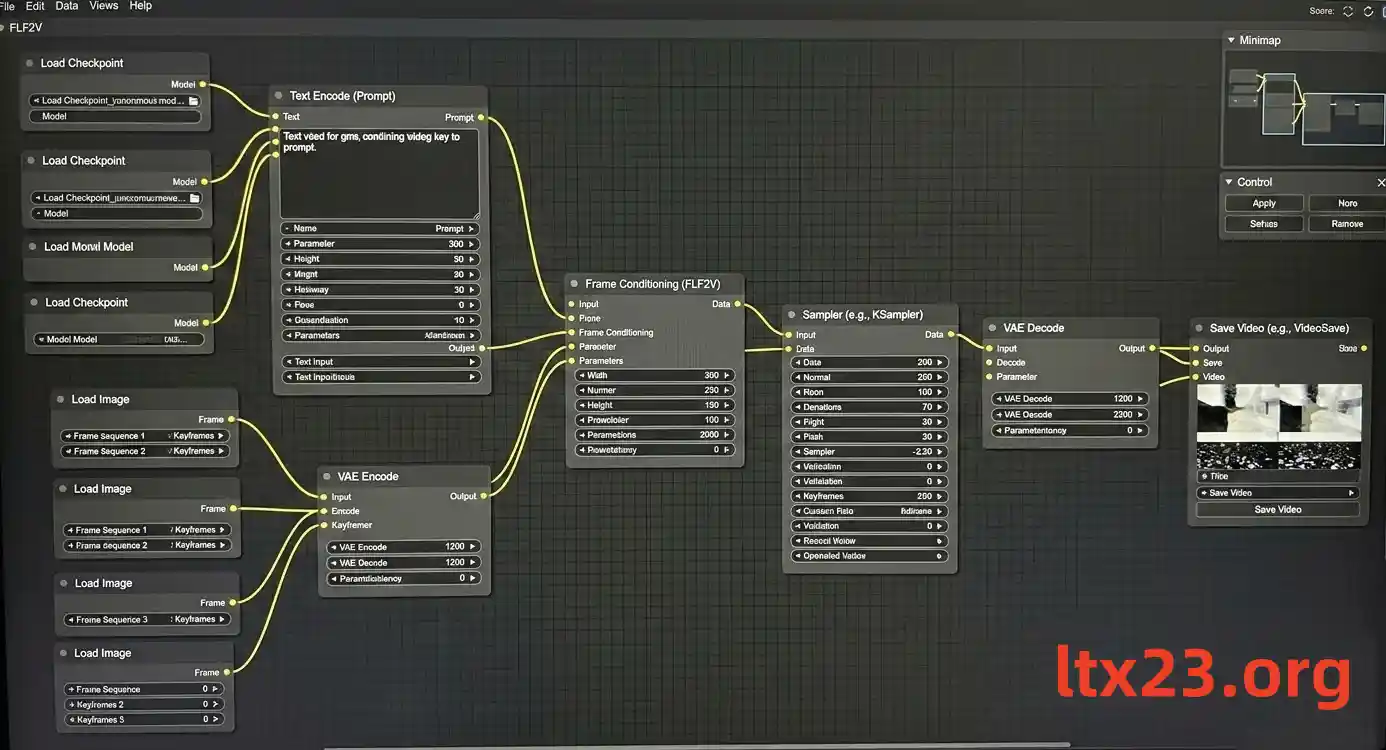
For experienced ComfyUI users, you can build an FLF2V workflow from scratch using the dynamic conditioning capabilities in the ComfyUI-LTXVideo nodes:
- Load the LTX 2.3 model using an LTXVideo Model Loader node
- Encode your text prompt with the Gemma 3 text encoder
- Load your first and last frame images with standard Image Loader nodes
- Encode images to latent space using a VAE Encode node
- Create frame conditioning: Use the
LTXVideo Conditioningor dynamic conditioning node to inject the first frame latent at frame index 0 and the last frame latent at the final frame index - Configure the sampler: Connect the conditioning to an LTXVideo Sampler, set your desired frame count (e.g., 97 or 121 frames)
- Decode and save: VAE Decode → Save Video
Key Parameters & Tips
Getting good results from LTX 2.3 FLF2V requires some tuning. Here are the most important settings:
| Parameter | Recommended Value | Notes |
|---|---|---|
| Frame count | 97 or 121 | Roughly 4–5 seconds at 24fps |
| Resolution | 768×512 (first pass) | Upscale with spatial upscaler afterward |
| CFG scale | 3.0 – 7.0 | Higher = more prompt adherence, lower = more natural motion |
| Sampling steps | 20 – 30 (dev model) | 6 – 10 for distilled model |
| First frame strength | 0.8 – 1.0 | Higher values lock the starting frame more tightly |
| Last frame strength | 0.6 – 0.9 | Slightly lower than first strength often yields better motion |
| Scheduler | Euler / DPM++ | Both work well with LTX 2.3 |
Pro tips:
- Start low-res, then upscale: Generate at 768×512 first, then use the
ltx-2.3-spatial-upscaler-x2-1.0model for a second pass at 1536×1024. This saves VRAM and often produces better results than generating at high-res directly. - Match image resolutions: Your first and last frame images should be the same resolution, and ideally match the model's expected aspect ratio.
- Reduce last frame strength for natural motion: Setting
last_strengthto 0.7–0.8 while keepingfirst_strengthat 0.95–1.0 often produces more natural-looking transitions, rather than forcing the model to hit an exact endpoint. - Use descriptive prompts: Even with frame conditioning, a good text prompt helps guide the motion. Describe the action that connects the two frames, e.g., "A cat stands up and walks across the room."
Common Issues & Troubleshooting
Running LTX 2.3 FLF2V in ComfyUI can be tricky. Here are solutions to the most common problems:
"My output is a static image / no motion"
This is the most reported issue with LTX first/last frame workflows. Common causes:
- Both frames are too similar: The model sees little difference and produces minimal motion. Try frames with more visual difference.
- Strength values too high: If both
first_strengthandlast_strengthare at 1.0, the model has no room to generate motion. Lowerlast_strengthto 0.7–0.8. - Frame count too low: With only 25 frames, the model may not have enough "space" to generate visible motion. Try 97+ frames.
- Wrong conditioning setup: Make sure the first frame is injected at index 0 and the last frame at your final frame index — not the same index.
"Red nodes / Missing node errors"
When loading community workflows, you may see red (missing) nodes:
- Open ComfyUI Manager → Install Missing Custom Nodes
- Make sure you have both ComfyUI-LTXVideo and VideoHelperSuite installed
- If using Kijai's workflow, you may also need ComfyUI-KJNodes
- Restart ComfyUI after installing any nodes
"CUDA Out of Memory / VRAM Error"
LTX 2.3 is a 22B-parameter model — it's VRAM-hungry:
- Switch to fp8 model: Use
ltx-2.3-22b-dev-fp8.safetensorsinstead of the full BF16 model - Reduce resolution: Drop to 512×384 for initial tests
- Shorten video length: Reduce frame count to 49 or 65
- Close other GPU processes: Shut down any other models, browsers with GPU acceleration, etc.
- Use
--reserve-vram: Launch ComfyUI withpython -m main --reserve-vram 5 - Try the distilled model: The distilled variant with
ltx-2.3-22b-distilled-lora-384needs fewer sampling steps (6–10 vs. 20–30)
"Last frame doesn't match / Output drifts away"
If the generated video doesn't end on your intended last frame:
- Increase
last_strengthto 0.9–1.0 - Reduce frame count: Fewer frames = less room for the model to "drift" away from the target
- Use a two-stage pipeline: Generate a low-res version first to verify endpoint matching, then upscale the good result
- Add intermediate keyframes: Some workflows support conditioning at middle frames too, which helps anchor the trajectory
"Output is blurry or low quality"
- Use the two-stage pipeline: First generate at base resolution, then apply the
ltx-2.3-spatial-upscaler-x2-1.0latent upscaler for a second generation pass - Increase sampling steps: Try 25–30 steps with the dev model
- Check your text encoder: Make sure you're using the Gemma 3 encoder (
gemma_3_12B_it_fp4_mixed.safetensors), not an older encoder
The Easier Alternative — Generate LTX 2.3 First & Last Frame Videos Online
Let's be honest: setting up FLF2V with LTX 2.3 in ComfyUI is not a smooth experience right now. There's no official workflow, you need community custom nodes that may break between updates, the hardware requirements are steep (12–24 GB VRAM minimum), and troubleshooting takes real technical skill.
If your goal is to generate quality first-and-last-frame videos with LTX 2.3 — not to become a ComfyUI workflow engineer — there's a much simpler path.
LTX23.org: LTX 2.3 First & Last Frame Generation in Your Browser
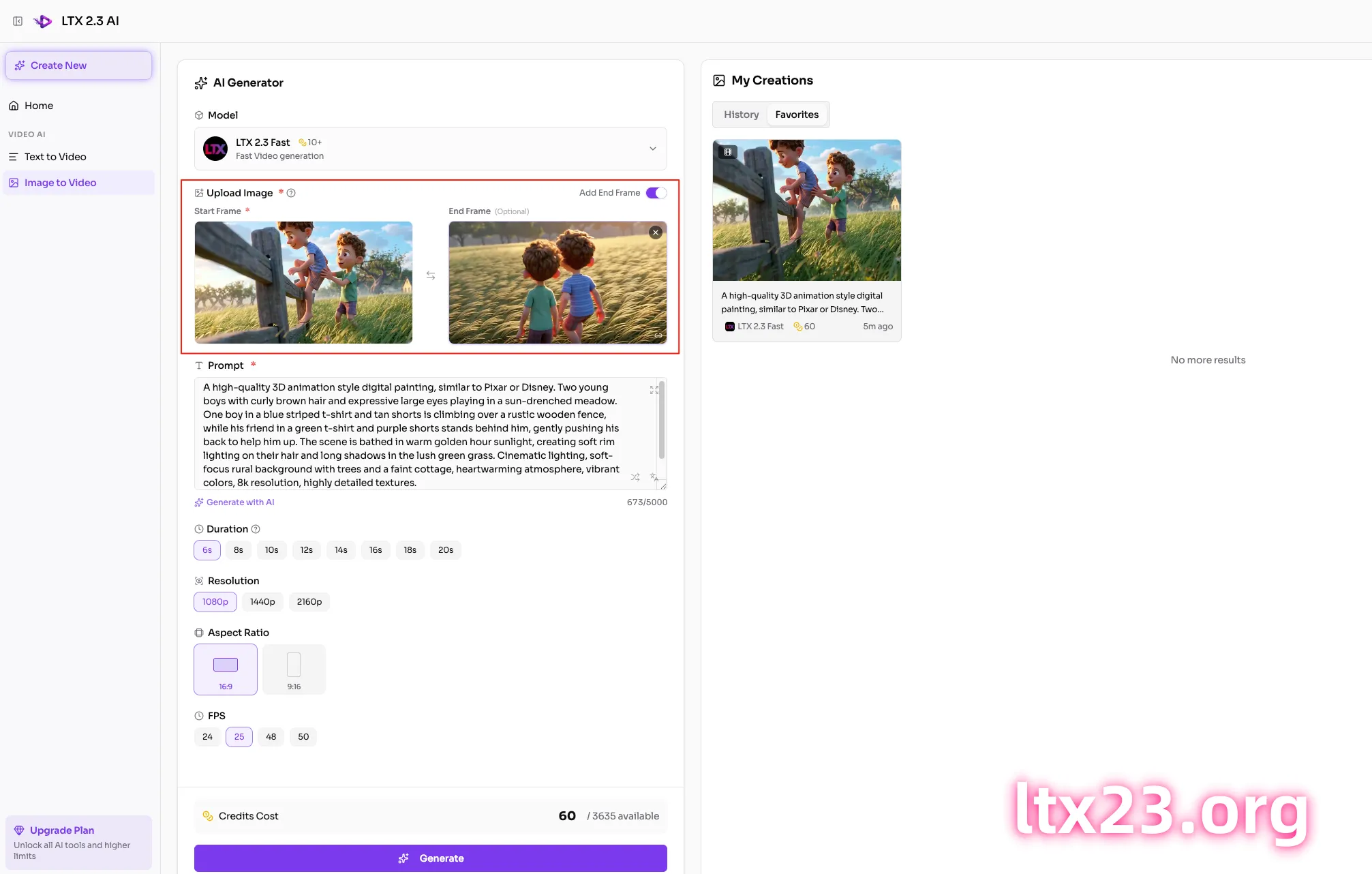
LTX23.org is a browser-based platform built specifically for LTX 2.3 video generation, with native first & last frame support built in:
- No GPU required — runs on cloud infrastructure, works on any device with a browser
- No setup needed — no ComfyUI installation, no model downloads, no custom nodes
- Native FLF2V support — upload your first frame and last frame, write a prompt, and generate
- High-quality output — same LTX 2.3 model, professionally optimized pipeline
- Multiple modes — also supports text-to-video and image-to-video when you don't need FLF control
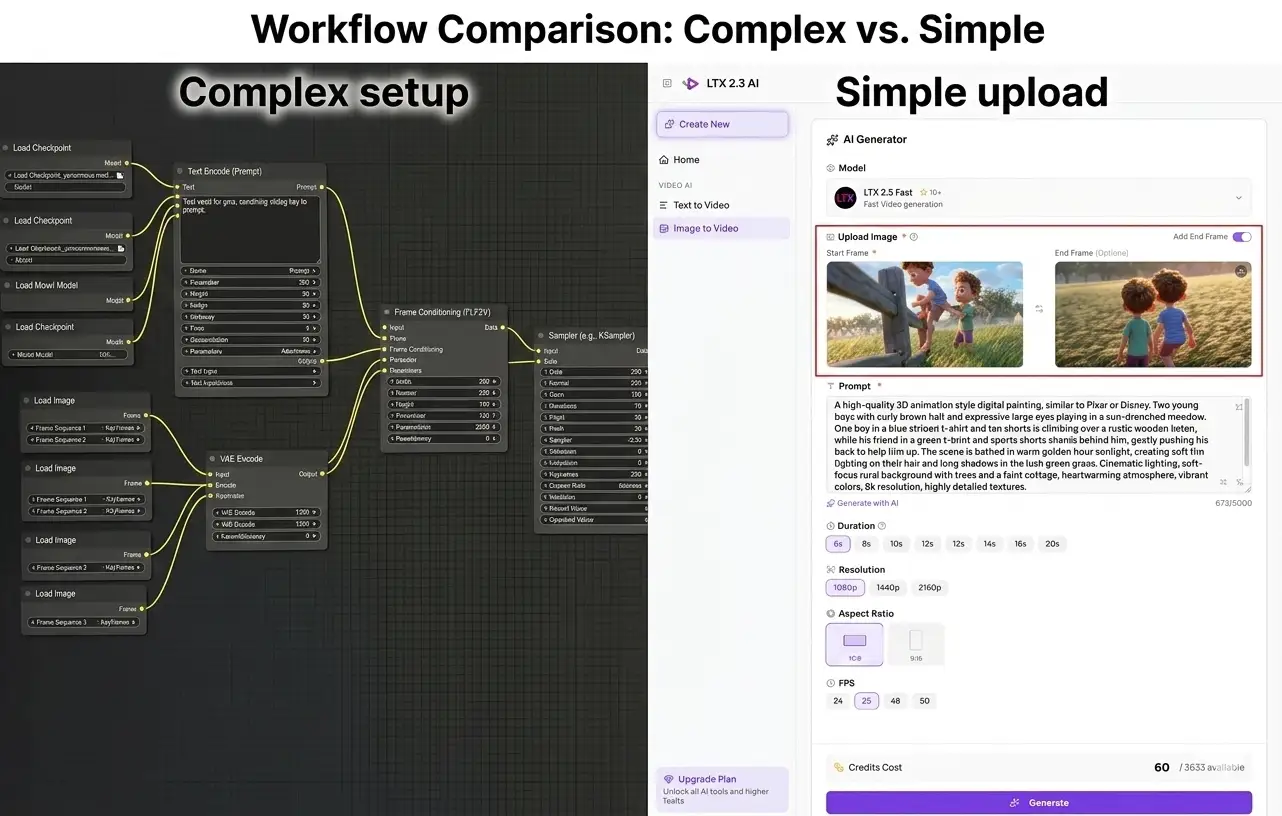
Here's the workflow comparison:
| ComfyUI (Local) | LTX23.org (Online) | |
|---|---|---|
| Setup time | 1–3 hours | 0 minutes |
| GPU required | Yes (12–24 GB VRAM) | No |
| FLF2V support | Community only (no official template) | Native, built-in |
| Troubleshooting | DIY — forums, Discord, Reddit | Handled for you |
| Cost | Free (your hardware) | Free tier available |
| Best for | Developers who want full control | Creators who want results fast |
Try it now: Generate LTX 2.3 first & last frame videos on LTX23.org →
LTX 2.3 vs. Other Models for First & Last Frame
LTX 2.3 isn't the only model that supports first-and-last-frame generation. Here's how it compares to the main alternatives:
LTX 2.3 vs. Wan 2.2 for FLF2V
Wan 2.2 (by Alibaba) currently has a more mature FLF2V ecosystem in ComfyUI. Community workflows for Wan 2.2 first/last frame exist and are more widely tested. In fact, the Reddit user who posted "Help needed - looking for working LTX 2.3 First-Last Frame workflows" specifically mentioned trying to replicate a workflow they'd already built for Wan 2.2.
However, LTX 2.3 has significant advantages in other areas:
| Feature | LTX 2.3 | Wan 2.2 |
|---|---|---|
| Max resolution | Up to 4K | 480p–720p |
| Native audio | Yes | No |
| Portrait video | Native 1080×1920 | Not native |
| Inference speed | 18× faster than Wan 14B | Slower |
| Video duration | Up to 20 seconds | ~5 seconds |
| FLF2V in ComfyUI | Community workarounds | More established workflows |
If you want the best of both worlds — LTX 2.3's quality and speed with reliable first-and-last-frame control — LTX23.org gives you that combination without the ecosystem maturity gap.
For a deeper comparison, read our full guide: LTX 2.3 vs Wan 2.2: The Ultimate Comparison →
Other Alternatives
- Kling AI / Runway Gen-3: Commercial APIs with keyframe control, but closed-source and expensive
- Stable Video Diffusion: Open-source but limited FLF support and generally lower quality than LTX 2.3
- CogVideoX: Emerging open-source option, but ecosystem still immature
Conclusion
So, does LTX 2.3 support first and last frame in ComfyUI? The technically accurate answer: the underlying model supports frame conditioning, but there is no official FLF2V workflow in ComfyUI's templates or Lightricks' example library. You'll need community custom nodes — Kijai's workflow, TTP Toolset, or manual conditioning — to make it work locally, and the experience can range from straightforward to frustrating depending on your setup.
For technical users who enjoy building ComfyUI workflows: the guide above will get you there. Focus on Kijai's FLF2V workflow as the easiest starting point, and be prepared to troubleshoot node compatibility and VRAM issues.
For everyone else: LTX23.org supports LTX 2.3 first & last frame generation natively, no setup required. Upload your two frames, write a prompt, and generate — it's the fastest way to get from idea to video.
Last updated: March 10, 2026. This guide reflects the state of LTX 2.3 ComfyUI support as of the latest ComfyUI-LTXVideo release. As the ecosystem evolves, we'll update this article with new official workflows and tools.